AWS Cost Tracking Guide
Overview
This documentation provides a step-by-step guide on how to register AWS cloud provider for cost tracking with Turo.
Get AWS credentials for cost tracking
- Login to AWS Account with Admin user access.
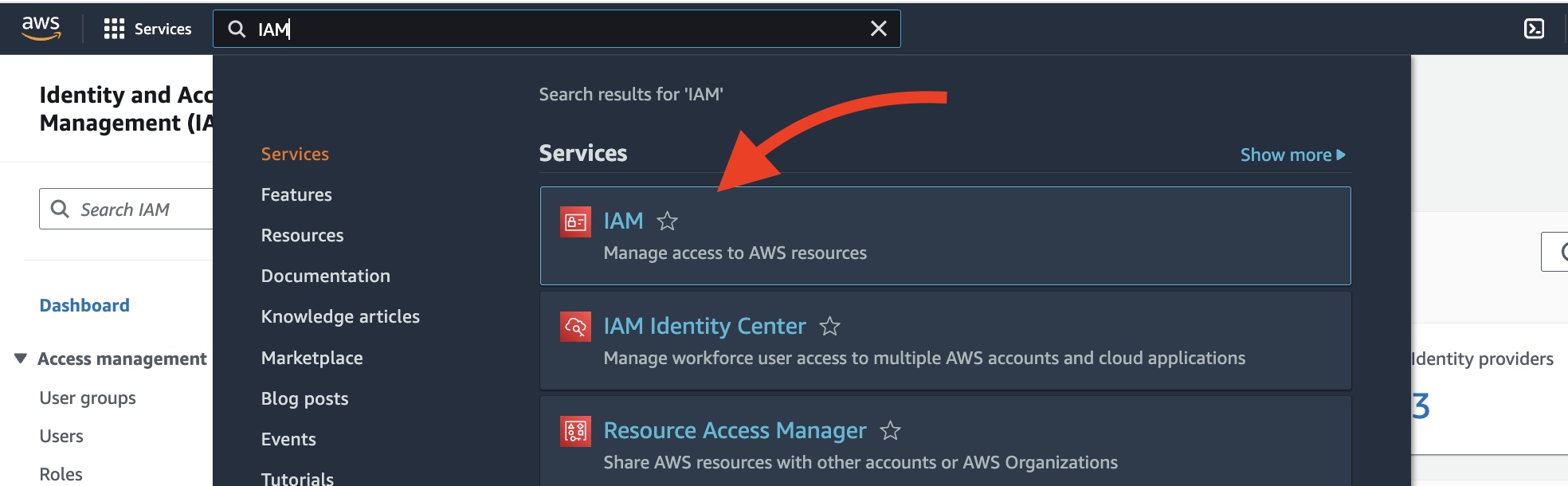
- Go to AWS IAM
- Create Policy --> Guide to create AWS IAM Policy
- Minimum permissions required for a policy are as follows
- Cost Explorer Service [full access]
- Resource Group Tagging [full access]
tag:*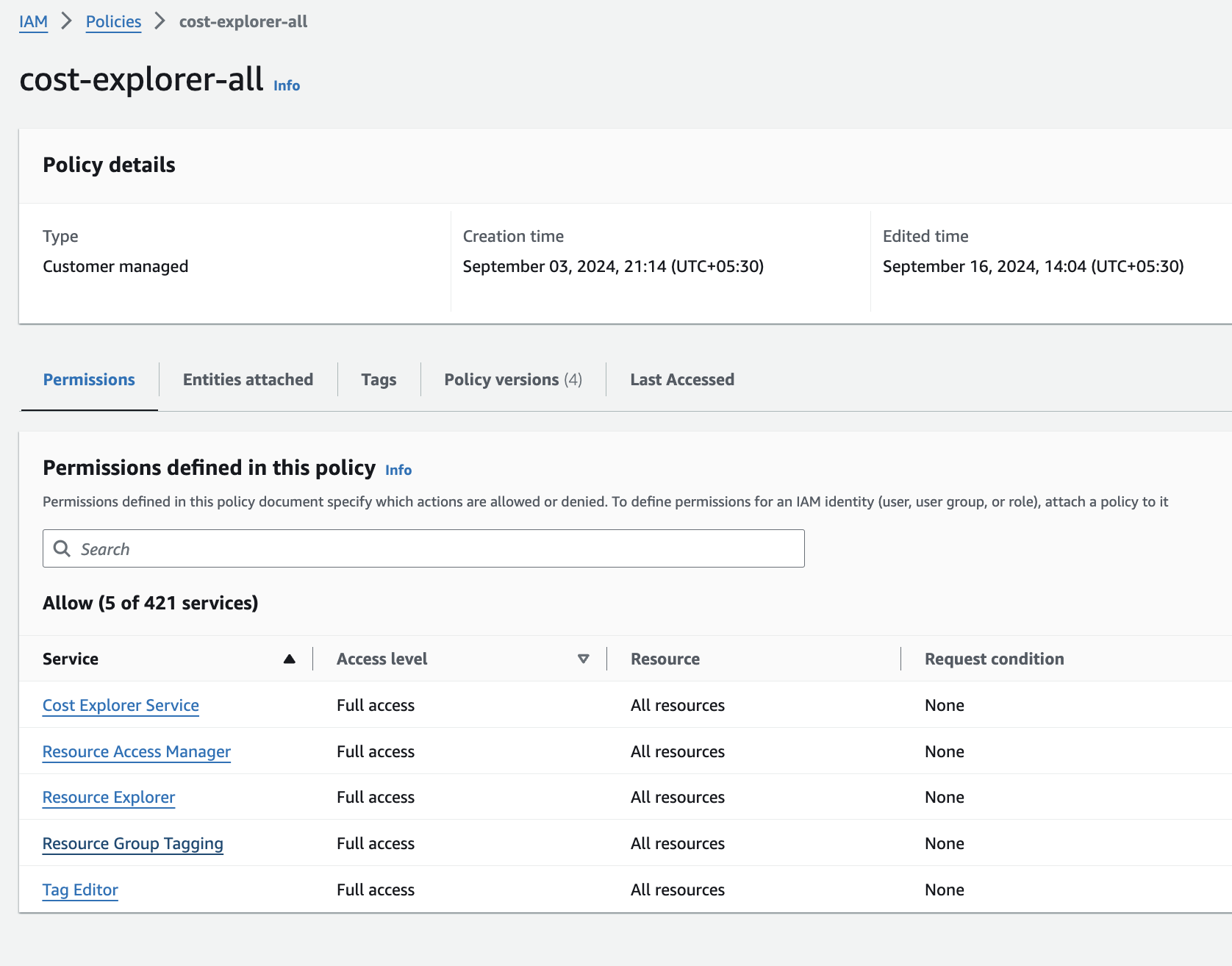
- Minimum permissions required for a policy are as follows
- Create User and attach policy created in previous step

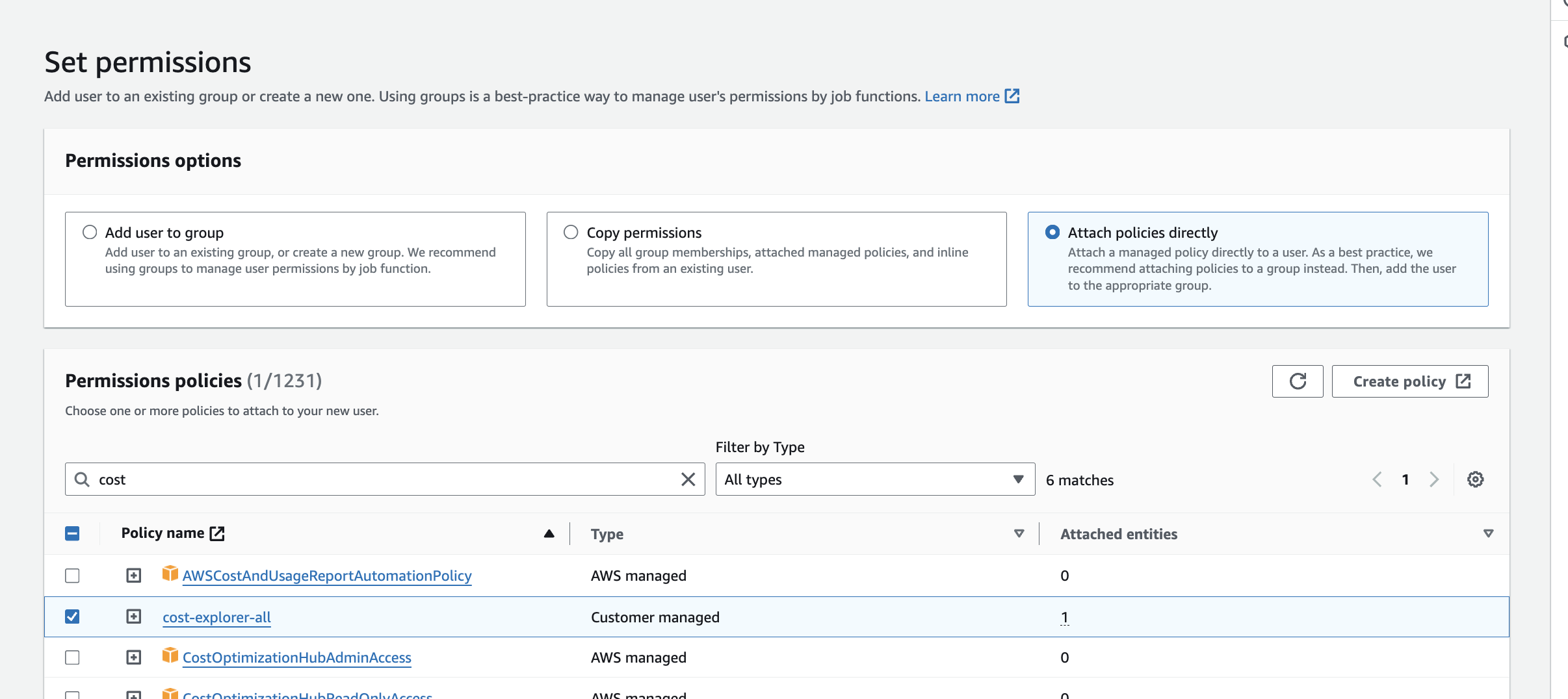
- Once user is created click on create access key on user details page.
- Now save these access key and secret pair to be used with Turo
Register cost in Turo
- Select project tile where we wish to add costs.

- Go to Costs > Connect
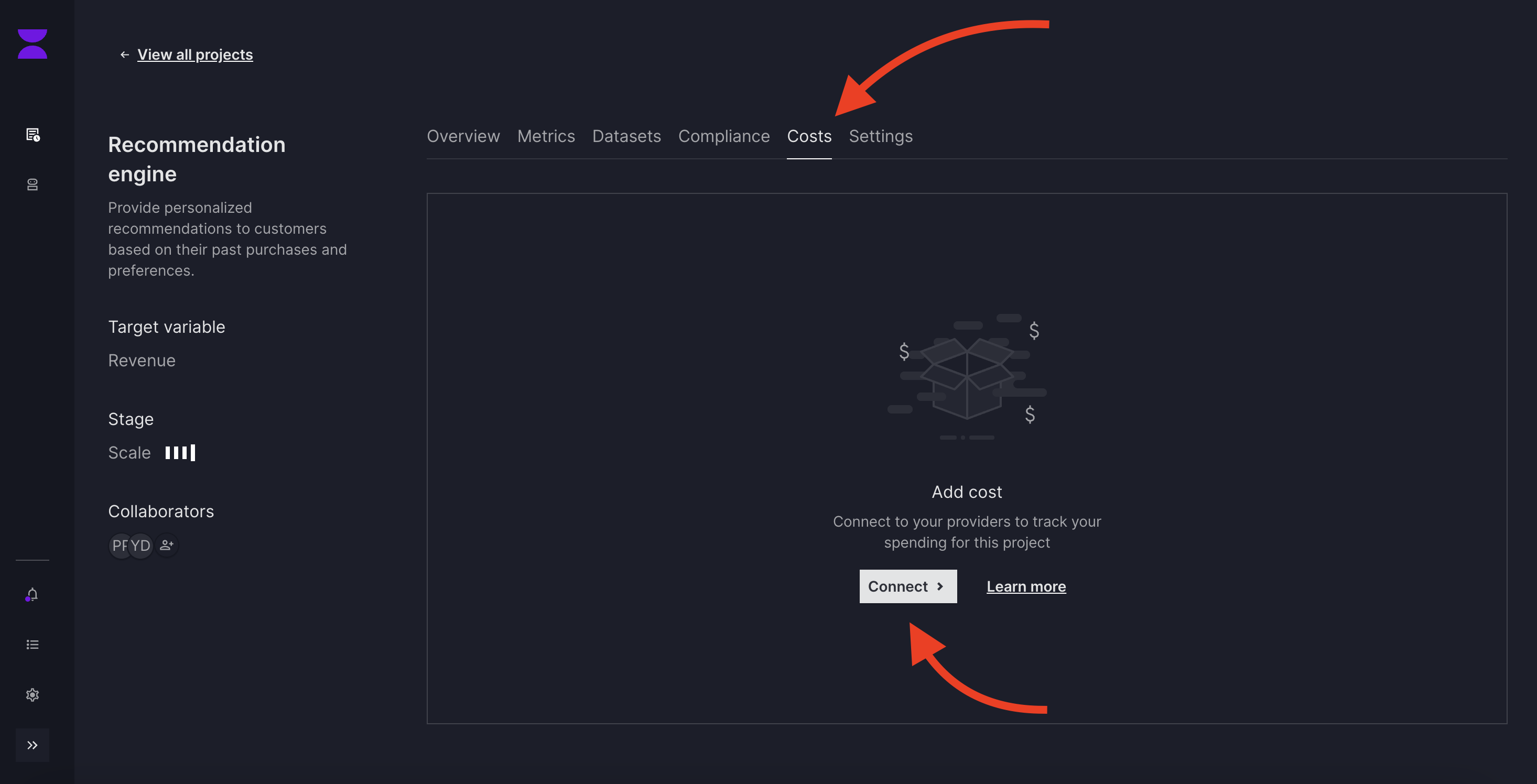
- add connection name and select provider
AWS, fill required details and then submit.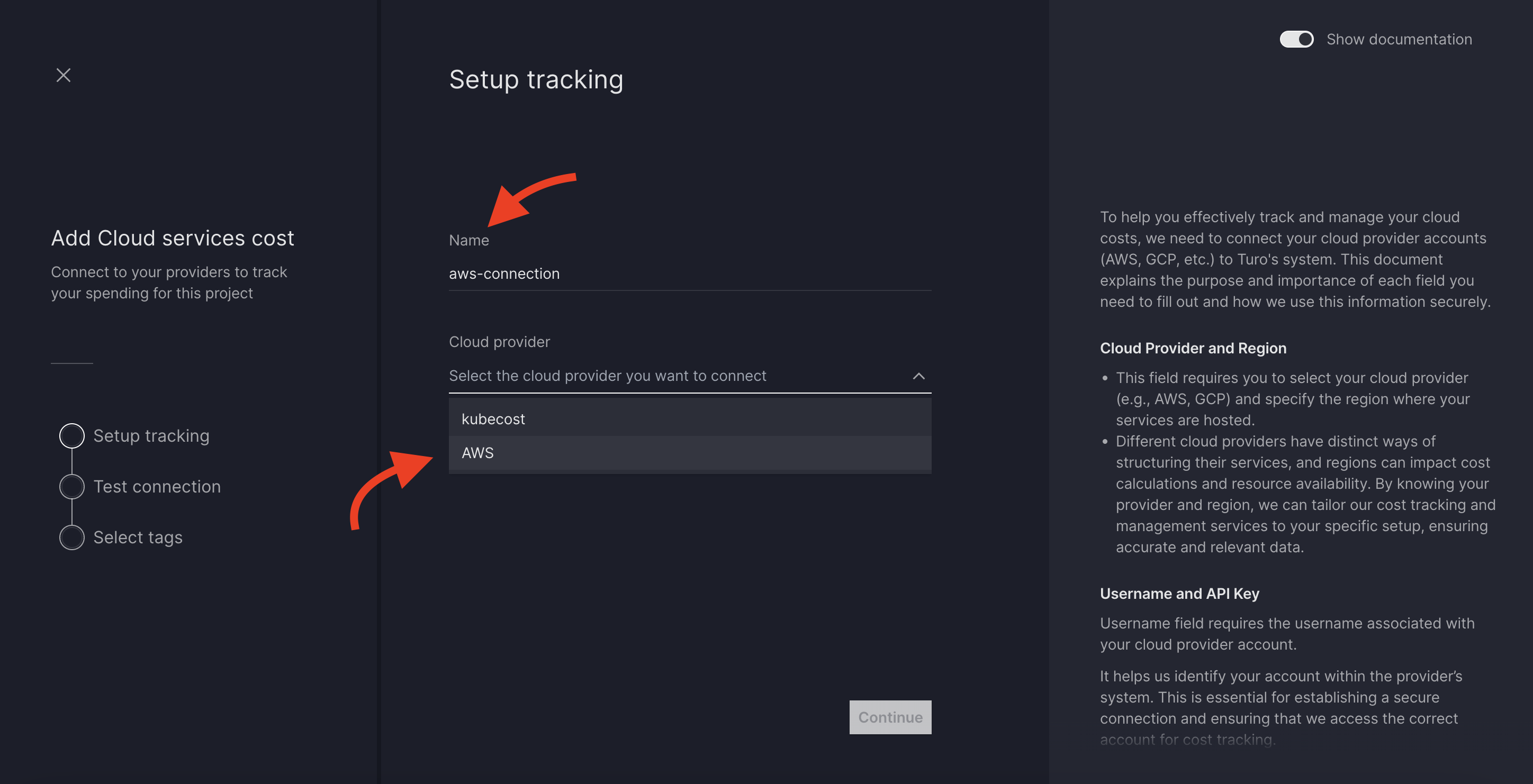
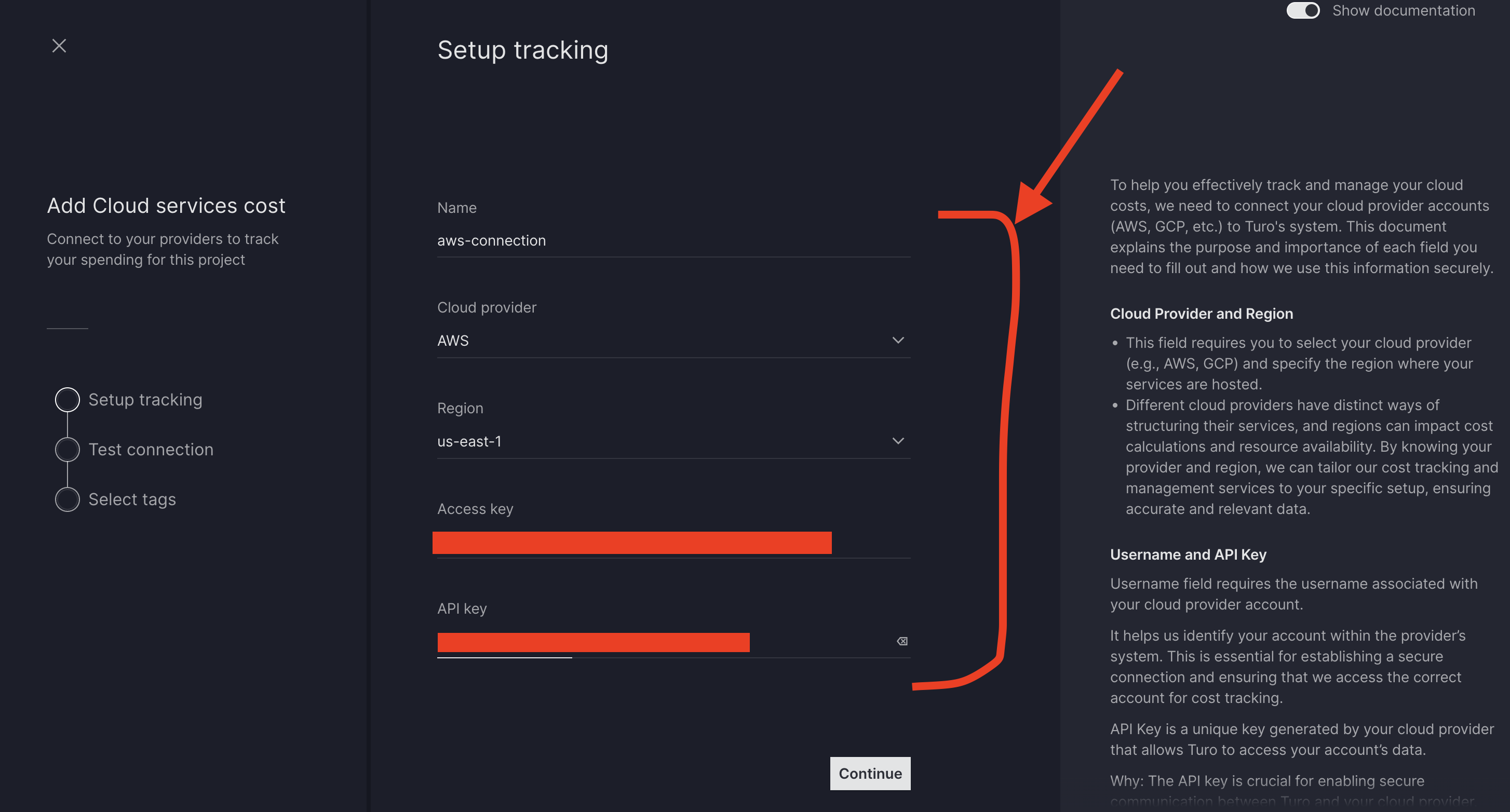
- System will do a
Test Connectionbefore we proceed. - Once test connection is success, select tags. (Turo will fetch cost data based on tags provided by user)
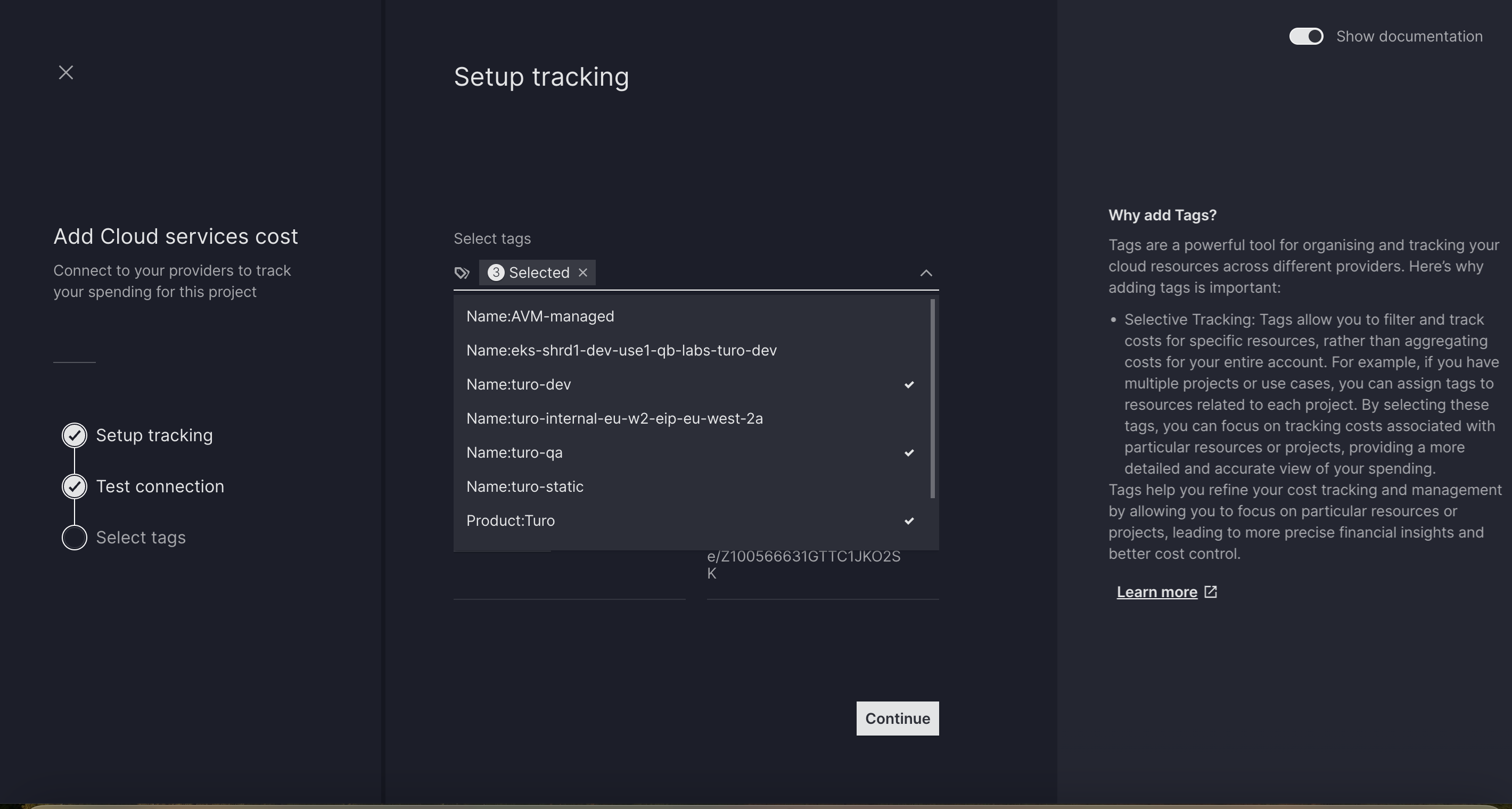
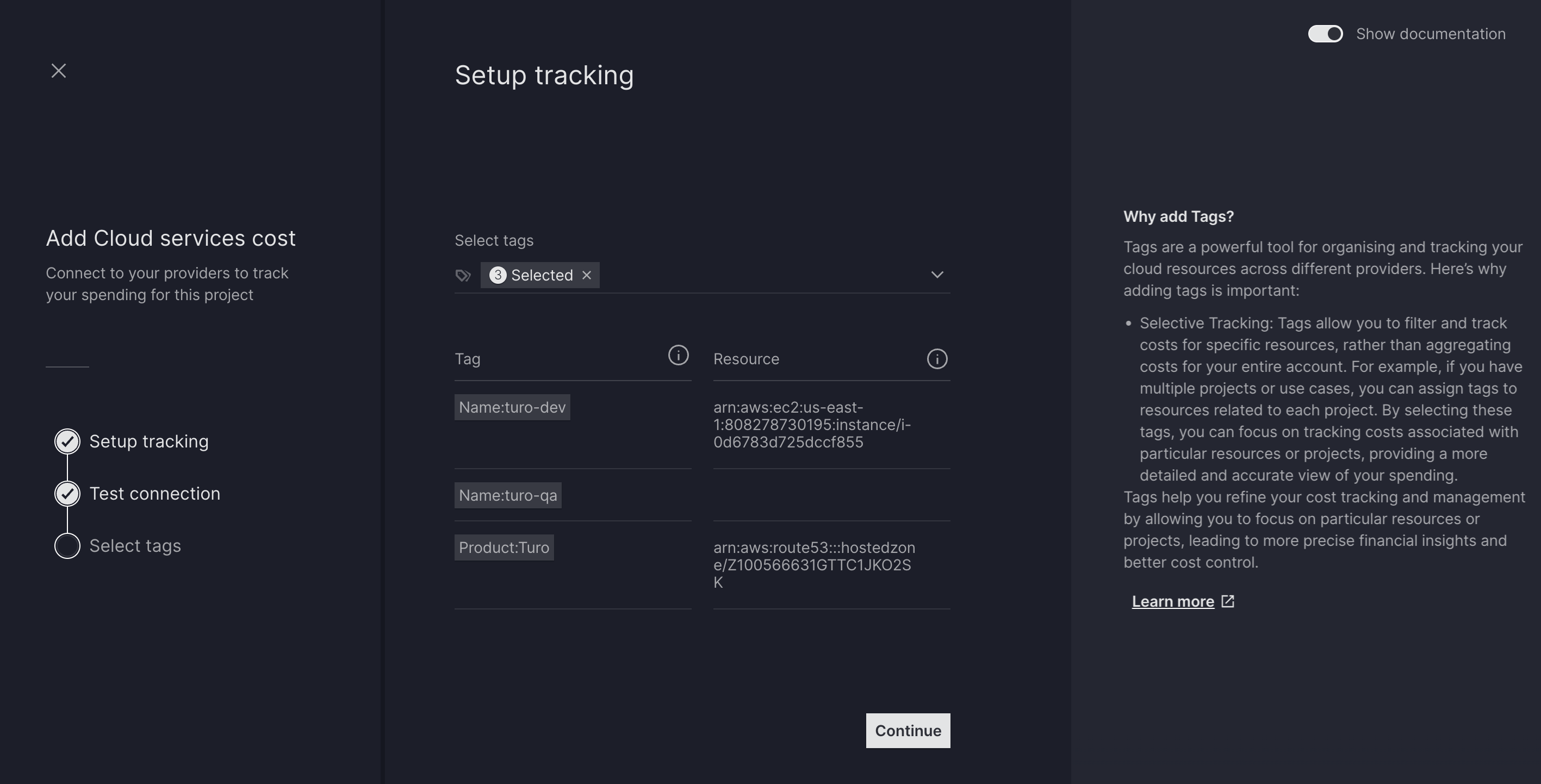
- Verify connection summary and submit.
