LLM Cost Tracking Guide
Overview
This documentation provides a step-by-step guide on how to register LLM models for cost tracking with Turo.
Step 1: Register LLM cost in Turo
- Select
Add Connection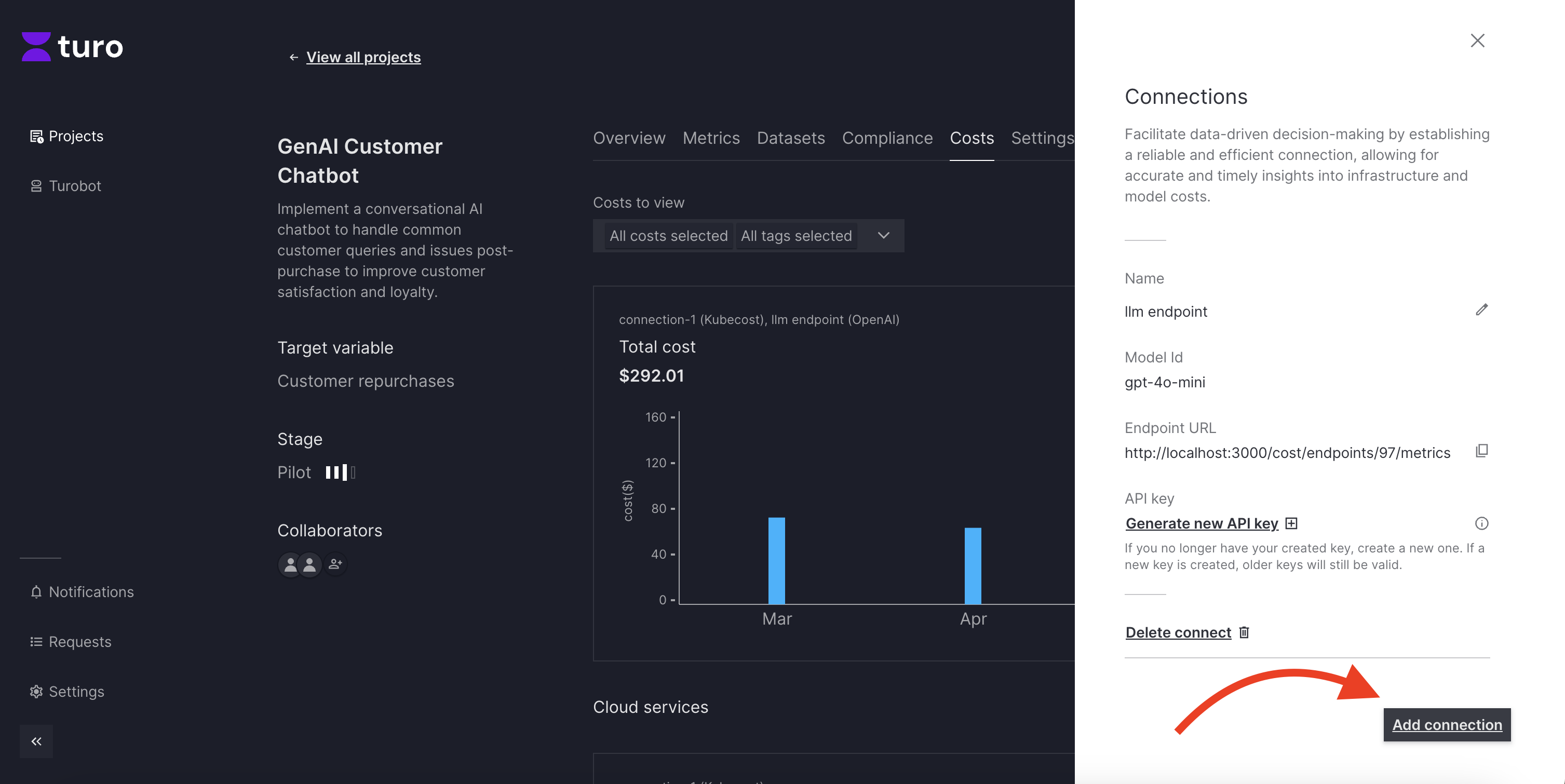
- Select Cost Type
LLMs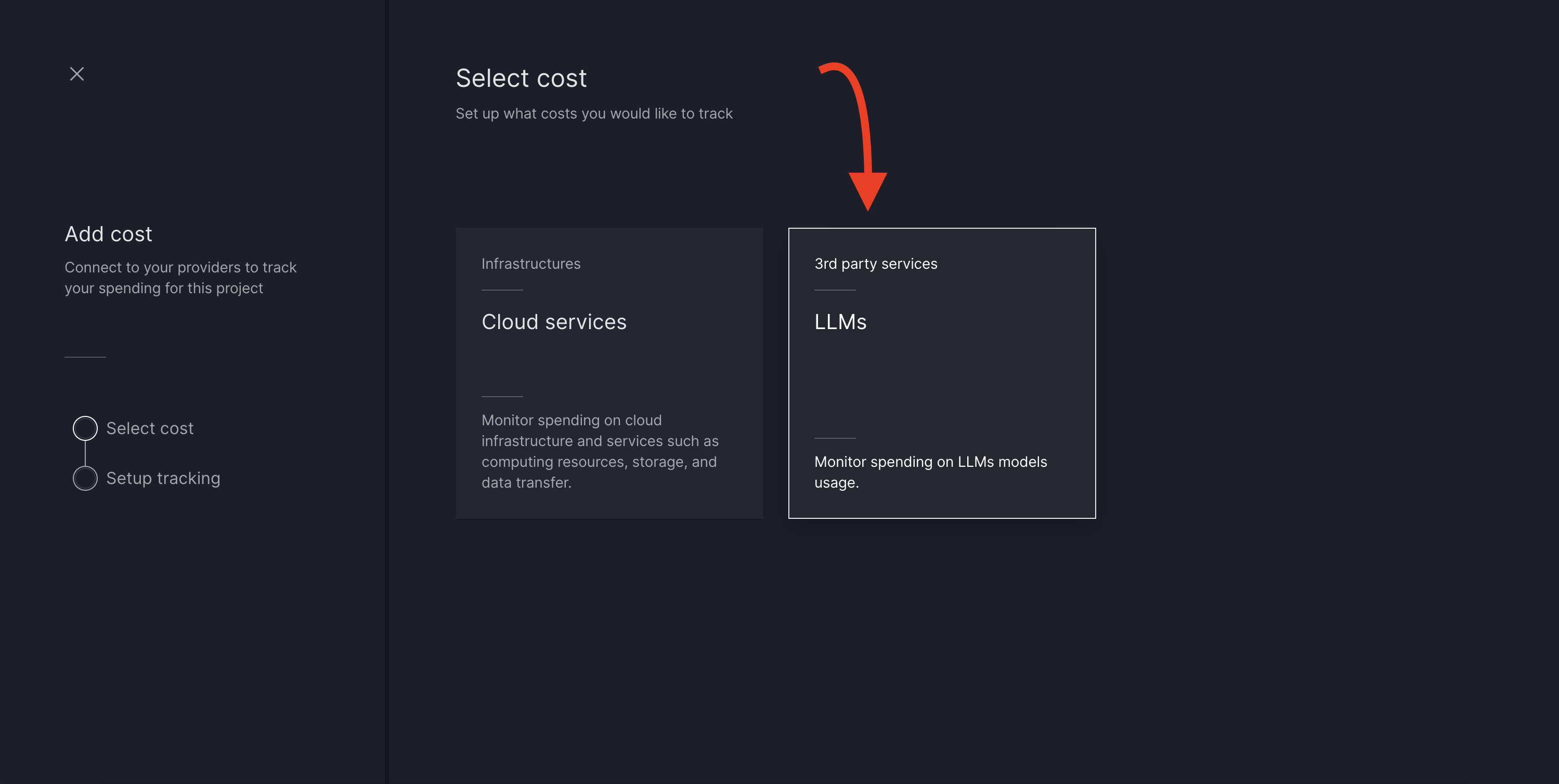
- Select LLM Provider from the list of supported providers, and select model to be used for tracking cost per token. (on selecting model we should be able to see pre-configured cost per 1K tokens below model dropdown) and click
Continue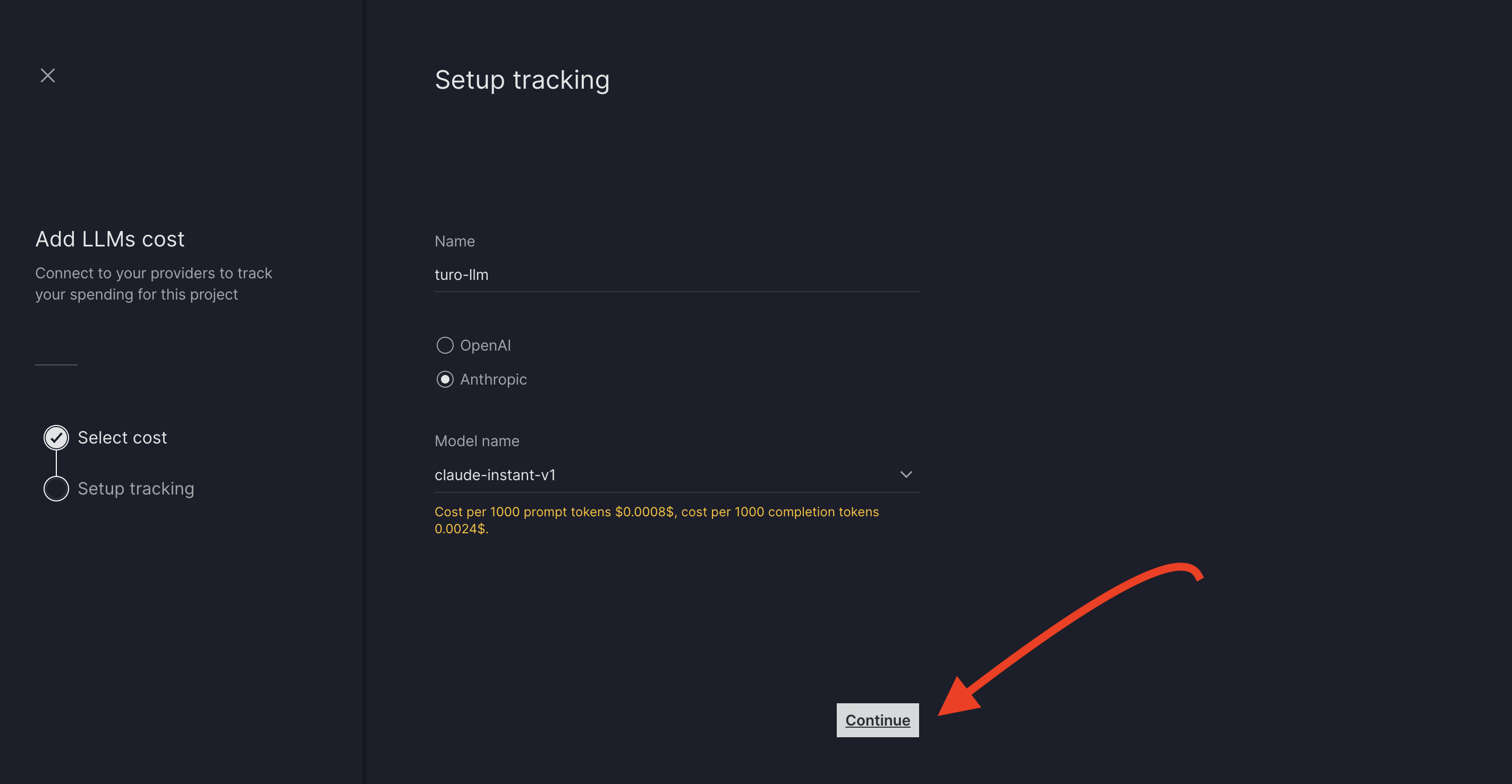
- Setup Tracking screen should show
Endpoint URLandAPI Keyto be copied and saved for use to push cost metrics to turo.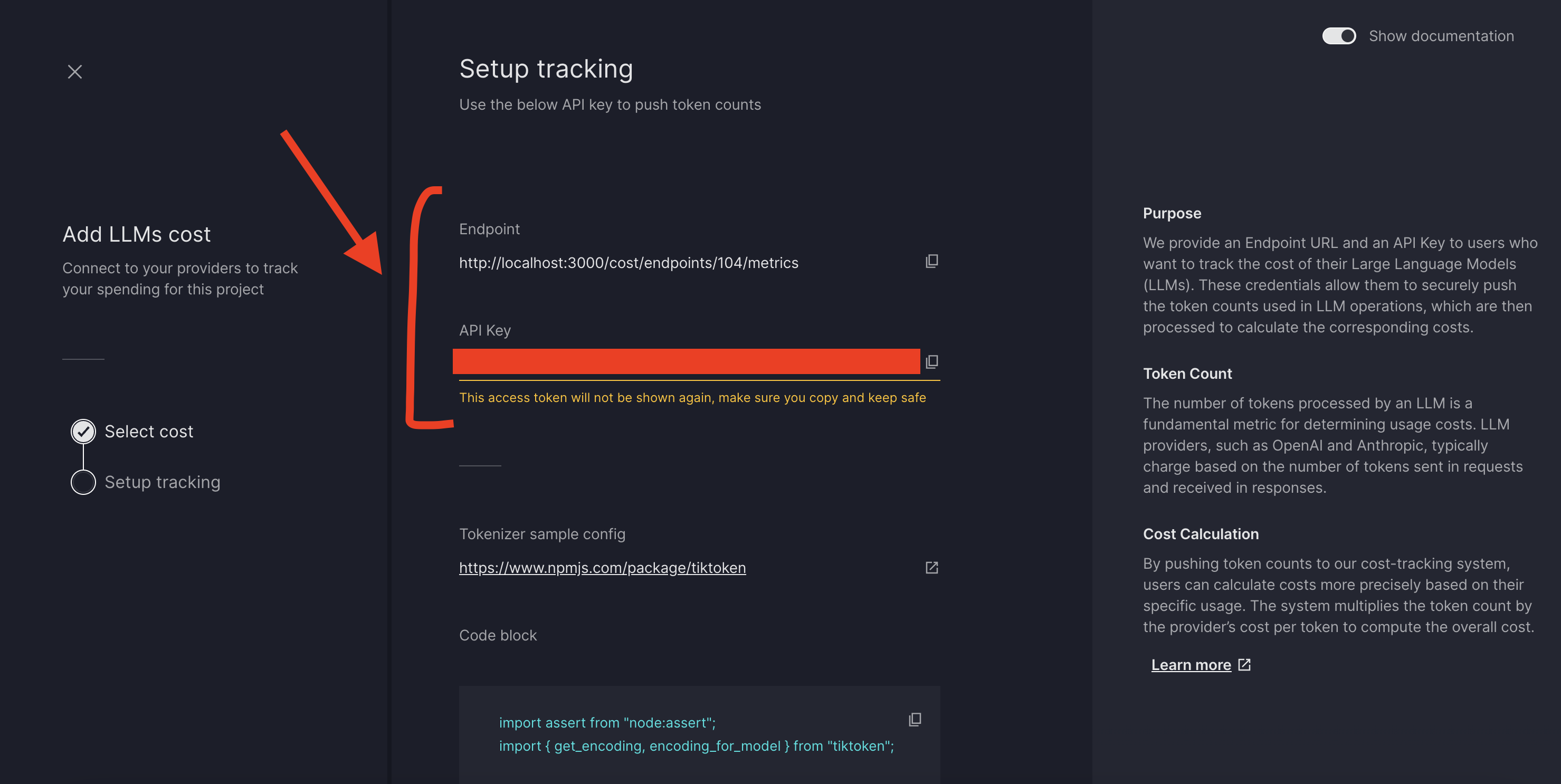
- Continue to finish Setup.
Step 2: Setup cost tracking in app that is using LLM to be tracked
-
add
otel_config.pyto app as shown in Push Metrics to Turo Guide -
create metrics logging to push tokens to Turo
from otel_config import meter, collect_metrics

#...

token_collector = meter.create_gauge(
    name="token_collector",
    description="LLM usage for Turo"
)

## calculated tokens per LLM call has to be pushed to Turo as shown below
## here total_tokens, prompt_tokens and completion token has to be calculated and sent to turo (generally these are returned from the llm api call)
token_collector.set(total_tokens,{
                "promptTokens" : prompt_tokens,
                "completionTokens": completion_tokens,
                "totalTokens": total_tokens, #optional
                "modelId": "test" # optional
            })

## metrics will be sync to Turo periodically where as optionally we can push metrics using
collect_metrics()
- This pushes and syncs metrics automatically to turo project cost dashboard.